Wild Web
Most websites don’t lose customers in dramatic ways. They lose them in small ways: a button that’s hard to tap, a form that asks too much, a phone number that isn’t clickable. Each one looks minor. Together, they decide whether your site brings in enquiries or just sits there looking nice.
Here are the mistakes I see most when I review small business websites, and how to fix each one. Most can be sorted in an afternoon.
1. The phone number isn’t a link
On a phone, a number written as plain text means the visitor has to remember it, switch apps and type it in. Many won’t bother. Make every phone number a tap-to-call link, and put one near the top of every page. If you take calls, this is the single cheapest improvement you can make.
2. The first screen doesn’t say what you do
Open your homepage on your phone and read only what appears without scrolling. If it says “Welcome” or “Quality you can trust”, a stranger still doesn’t know whether you can help. Replace it with a plain statement of what you do, who it’s for and where: “Bathroom renovations in Melbourne’s inner north.” Then give them one clear next step.
3. Too many choices, no clear next step
A page with six buttons all saying different things leaves people unsure what to do. Decide the one action you most want on each page, such as call, request a quote or book a time, and make it the obvious one. Secondary links can sit lower down.
4. The contact form asks for too much
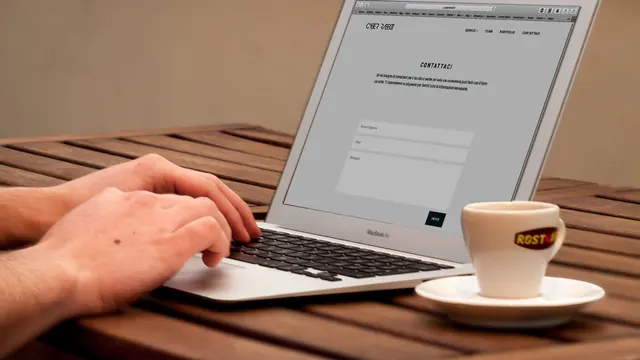
Every extra field cuts the number of people who finish it. For most small businesses, name, phone or email and a short message are enough. Save the detailed questions for the phone call. Also check that the form actually works: submit a test, make sure the message reaches you and that you see a clear “thanks” message afterwards.
5. It loads slowly on mobile
Large, uncompressed photos are the usual culprit. A homepage hero image that’s several megabytes will frustrate anyone on mobile data. Resize images to the size they’ll be displayed, use modern formats like WebP where you can and avoid auto-playing video on the first screen. Test with Google PageSpeed Insights and focus on the mobile score.
6. It’s not properly built for phones
“Looks okay on mobile” isn’t the same as “works on mobile”. Check that text is readable without zooming, buttons are big enough for a thumb, menus open easily and nothing slides off the edge of the screen. Then try filling in your own form on your own phone.
7. No proof that you’re real
Visitors look for signs a business is genuine: a real address area, photos of your actual team or work, reviews, accreditations, a clear About page. Stock photos and vague text make people hesitate. Add real photos, name the people involved and show genuine customer reviews that you’ve been given permission to share. Don’t invent testimonials or ratings, because customers and Google can both spot them.
8. Important information is hidden
Opening hours, service areas, how a job works and what happens after someone enquires should be easy to find. If someone has to dig through a PDF or click through four pages to learn you don’t work in their suburb, they won’t. Put the key details where people look first.
9. The writing talks about you, not the customer
“We are passionate about excellence” doesn’t help anyone decide. Customers want to know whether you solve their problem. Write about what they’re trying to get done, the common worries they have and how you handle them. A page that begins with the customer’s situation usually outperforms one that starts with your company history. I’ve covered this in more depth in why most Melbourne business websites don’t get leads.
10. Nobody looks after it
An out-of-date website quietly damages trust. Old opening hours, a “Merry Christmas” banner in March, a team page with people who left, a copyright date from years ago. Set a reminder to review key pages every few months, and if you’d rather not, ask about a care plan.
11. Google can’t tell what the pages are about
Pages with the same title, missing descriptions, one long page covering everything or images with no description make it harder for Google to match you to searches. Each page should have its own clear title and a short description, one main heading and descriptive text. For a deeper checklist, see my local SEO checklist for Australian small businesses.
12. You never check whether any of it works
Many owners have no idea how many people visit, which pages they look at or whether enquiries are coming from the website. Set up Google Search Console and a simple analytics tool, then look at the numbers once a month. Ask new customers how they found you and note the answers. Patterns show up quickly.
How to find your own mistakes in 20 minutes
- Open your site on your phone, on mobile data, and time how long the first screen takes to appear.
- Read the first screen. Does it say what you do, who for and where?
- Tap the phone number. Does it call?
- Fill in your own contact form. Do you receive it? Is the confirmation clear?
- Try to find your opening hours and service area in under ten seconds.
- Look for anything out of date.
Write down everything that annoys you. Those are the same things annoying your customers.
Need a second pair of eyes?
If you’d like me to look at your site, I do a free website audit that checks speed, mobile experience, search basics and how clearly the site asks for enquiries, then tells you what I’d fix first in plain English. If it’s more than a few tweaks, I can talk through a redesign or a fresh Wix build. You can also book a free 15-minute call.
Want a hand with your website?
Get a free audit of your speed, mobile experience and search basics, or book a free 15-minute call. No obligation.